Advertisement
Are you trying to upload your NIN photo and your passport photograph in the FMYD Federal Government Waste program initiatives and it’s given you an error response that your photo is more than 25KB?
Good news, you can easily reduce the size of your photo online for free without needing to download any app.
I will guide you through this processing to enable you reduce your image to 25kb size and upload on the FMYD website easily and submit your application fast.
How to Reduce Your Photo to 25KB Online Free
To reduce your image to 25KB, kindly follow the guide provided bellow:
- Ensure you have a well snapped photo of your NIN slip and your passport photograph on your device
- visit https://image.pi7.org/compress-jpeg-to-25kb#
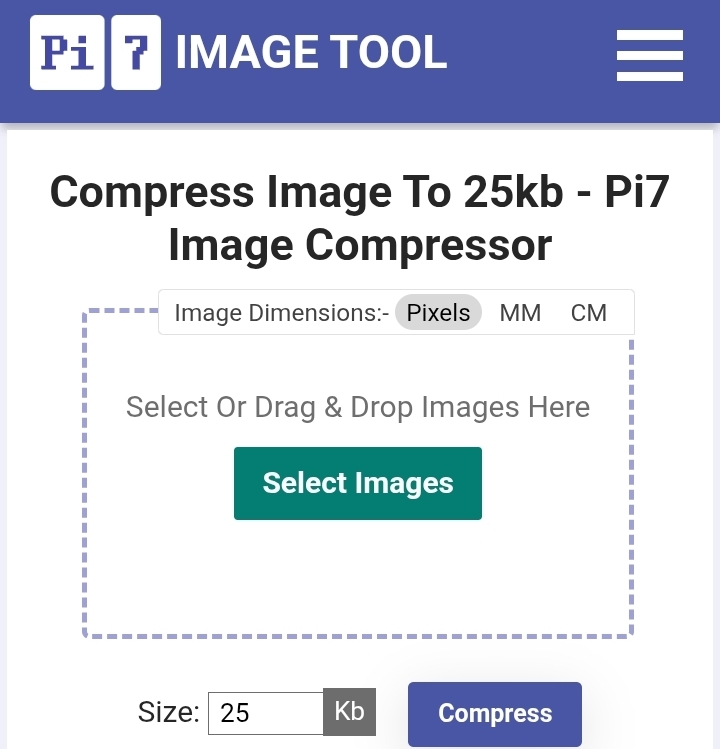
- Click on the Select Images, select your NIN slip or the image you want to Redeuce
- As you can see in the image below, we have already set the tools to help you compress the image to 25KB, so no need to adjust the KB size again
- Now click on the Compress link and wait for it to compress to 25KB
- Wait for the page to load and compres your image
- After compressing, a Download link will be displayed on the screen for you to download the compressed image
- Download and save the compressed image on your phone or device
- Now you can go back to the FG FMYD WASTE PROGRAM Website and upload the 25KB compress image you downloaded and submit your application easily
This guide will work for you efficiently if you follow the procedures right. I wish best of luck in your applications.